An educational kit to teach sustainability through ioT
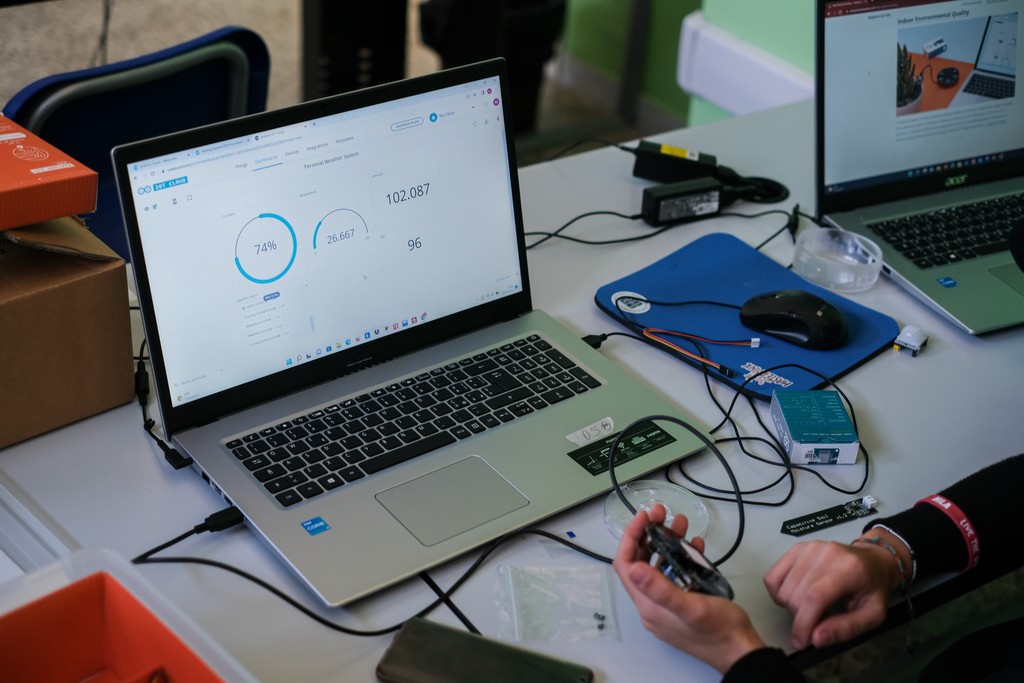
Despite high expectations, the Explore IoT Kit wasn’t gaining traction in educational settings. Schools found it unclear, dense, and difficult to implement. My task was to uncover why, and design a new user experience that would make it the go-to solution for IoT and sustainability education.
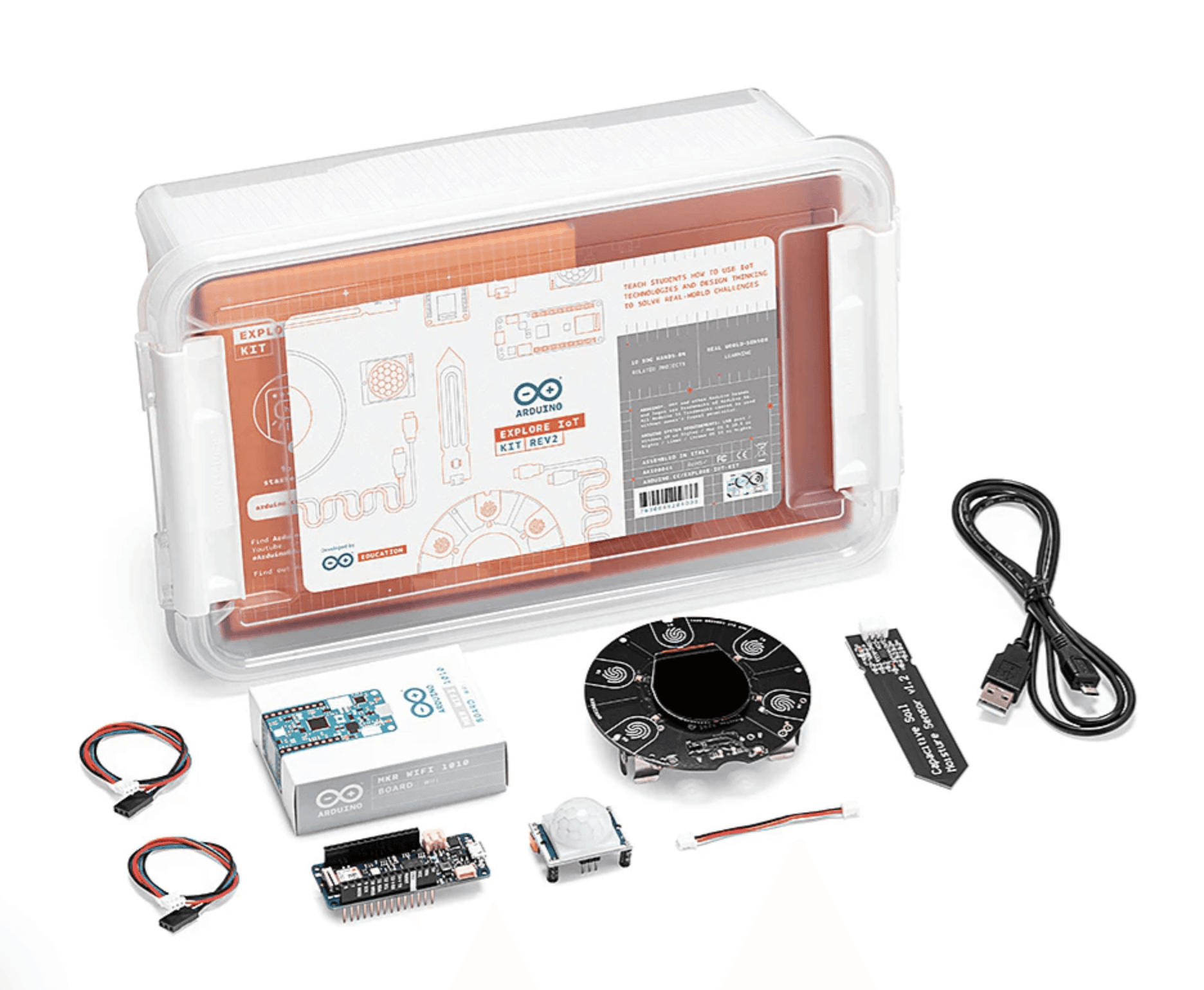
The research uncovered over 25 pain points, with 20% rated highly critical. My recommendations spanned hardware, software, onboarding, and content design. These shaped the new Explore IoT Kit Rev2, which went on to win two BETT Awards for Innovation and Collaboration with Schools.
Foundation: mapping the unkown
Research Focus Areas
I began by testing the kit myself, gathering all existing knowledge, and speaking with internal stakeholders. This revealed gaps in onboarding, unclear classroom fit, and recurring technical issues. I then set a structured research plan with three focus areas:
- Educational context → where the kit could realistically fit into curricula
- Users → teachers’ and students’ roles, skills, and constraints
- Interaction → how they navigated hardware, software, and content
Outreach & User Recruitment
With no existing contact base, I launched a user recruitment campaign to reach educators directly and prepare for in-field research. This effort was the first step in creating the Arduino Educators' Community with over 200 teachers.
Research: understanding the users
Research Activities
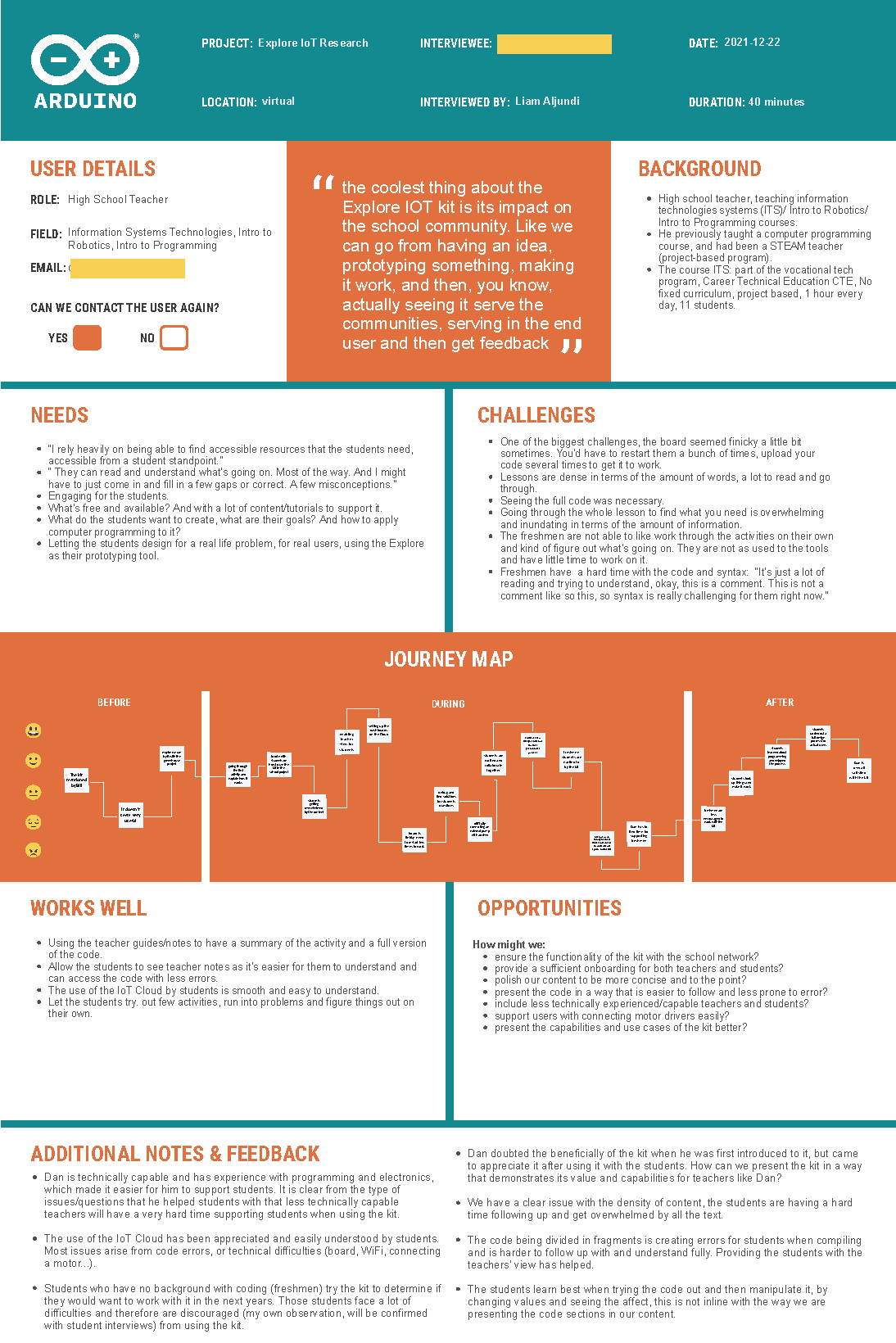
- 4 in-depth interviews with teachers
- 2 interviews with students
- 2 detailed written educator reviews
- Synthesised insights using opportunity mapping
- Categorised feedback into: technical, content, onboarding, and communication issues
- Created summary personas/templates for each user (see figure 1
Key Findings
- Market fit was niche (best suited to sustainability-focused technical courses).
- Onboarding was overwhelming and discouraged first use.
- Connectivity issues with school networks made setup a blocker.
- Content was dense, text-heavy, and not engaging.
- Skill levels varied widely, requiring adaptable complexity.
Ideation & prototyping
Onboarding Redesign
To address early frustrations and lower the barrier to entry, the onboarding experience was reimagined with simplicity and curiosity at its core:
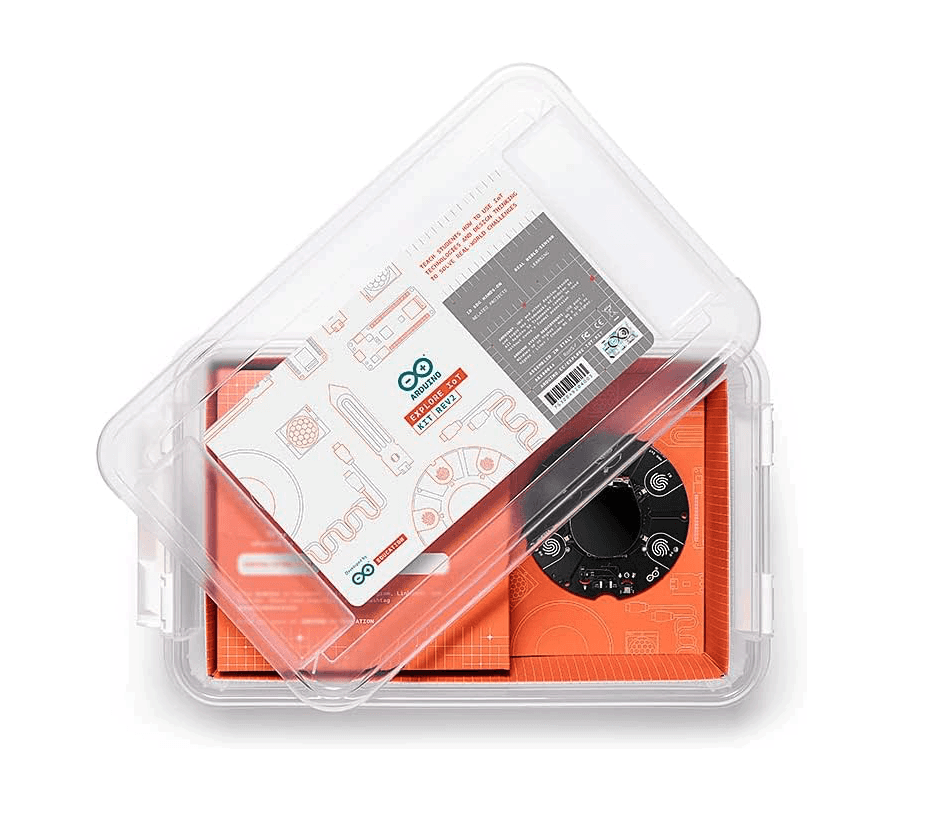
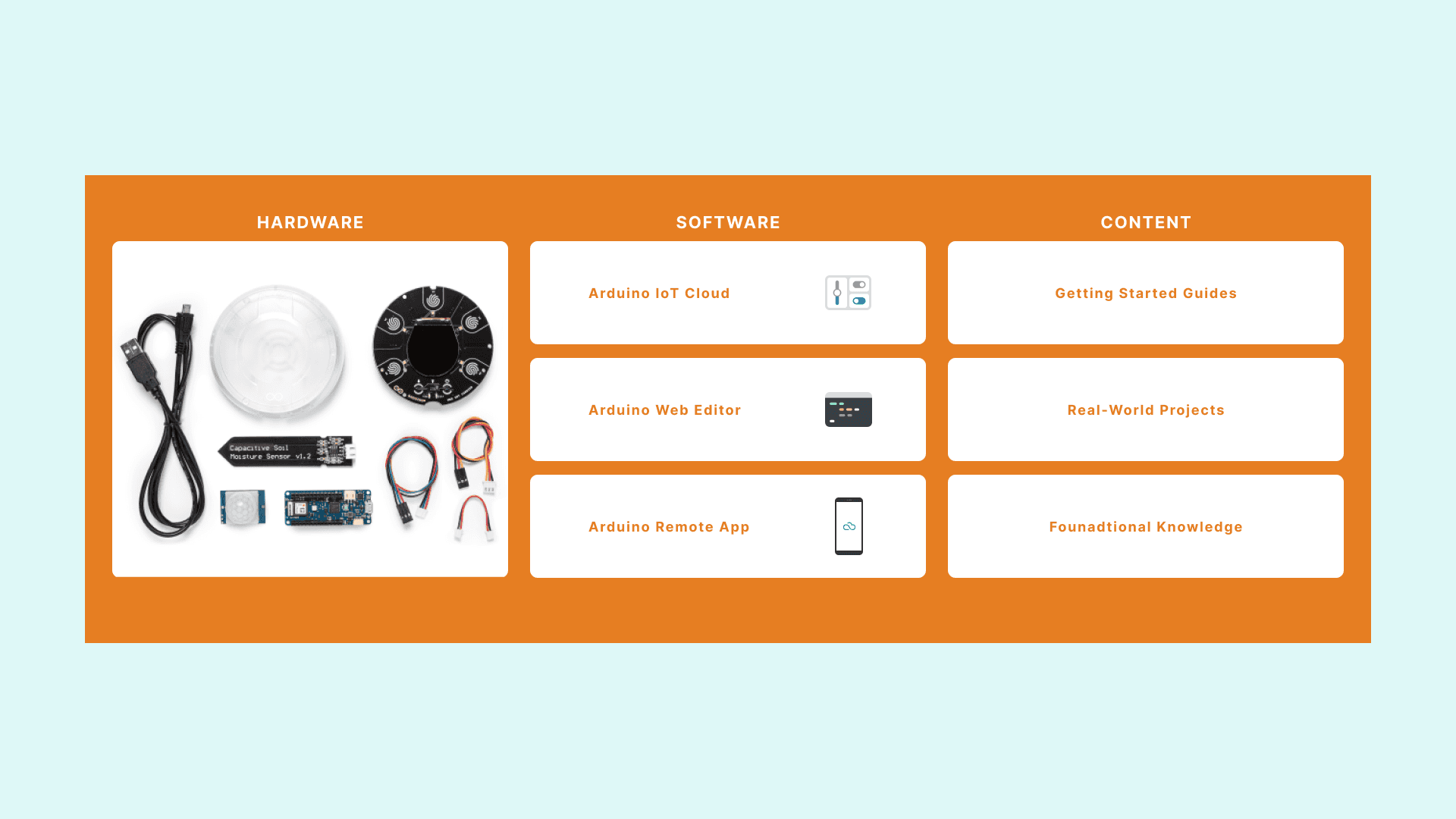
- Immediate feedback: kit shipped with a pre-loaded sketch so students saw results instantly.
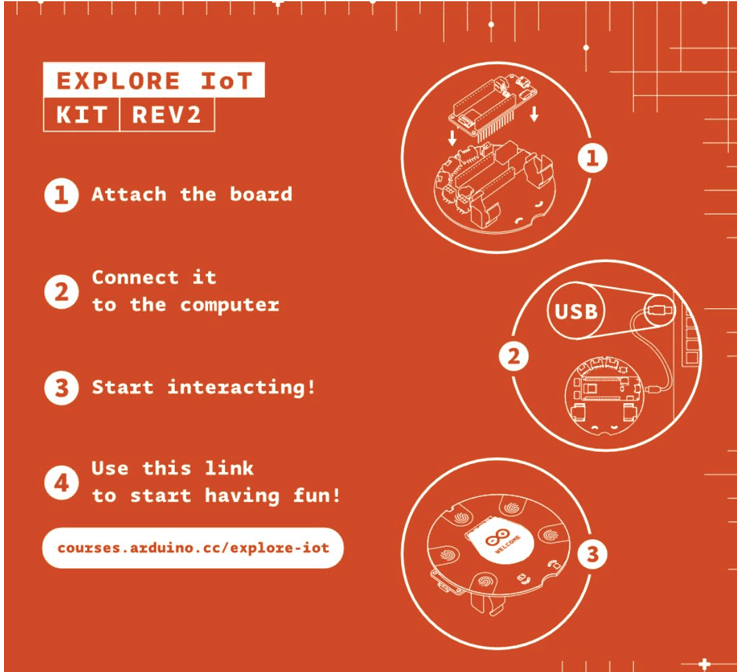
- Quick-start steps printed on the box to reduce reliance on manuals.
- Reframed tone from intimidating to playful, encouraging curiosity and starting with hands-on activities instead of dense theory.
Content Restructuring
A full content overhaul was initiated to address complexity, reduce friction, and improve engagement.
Key Improvements
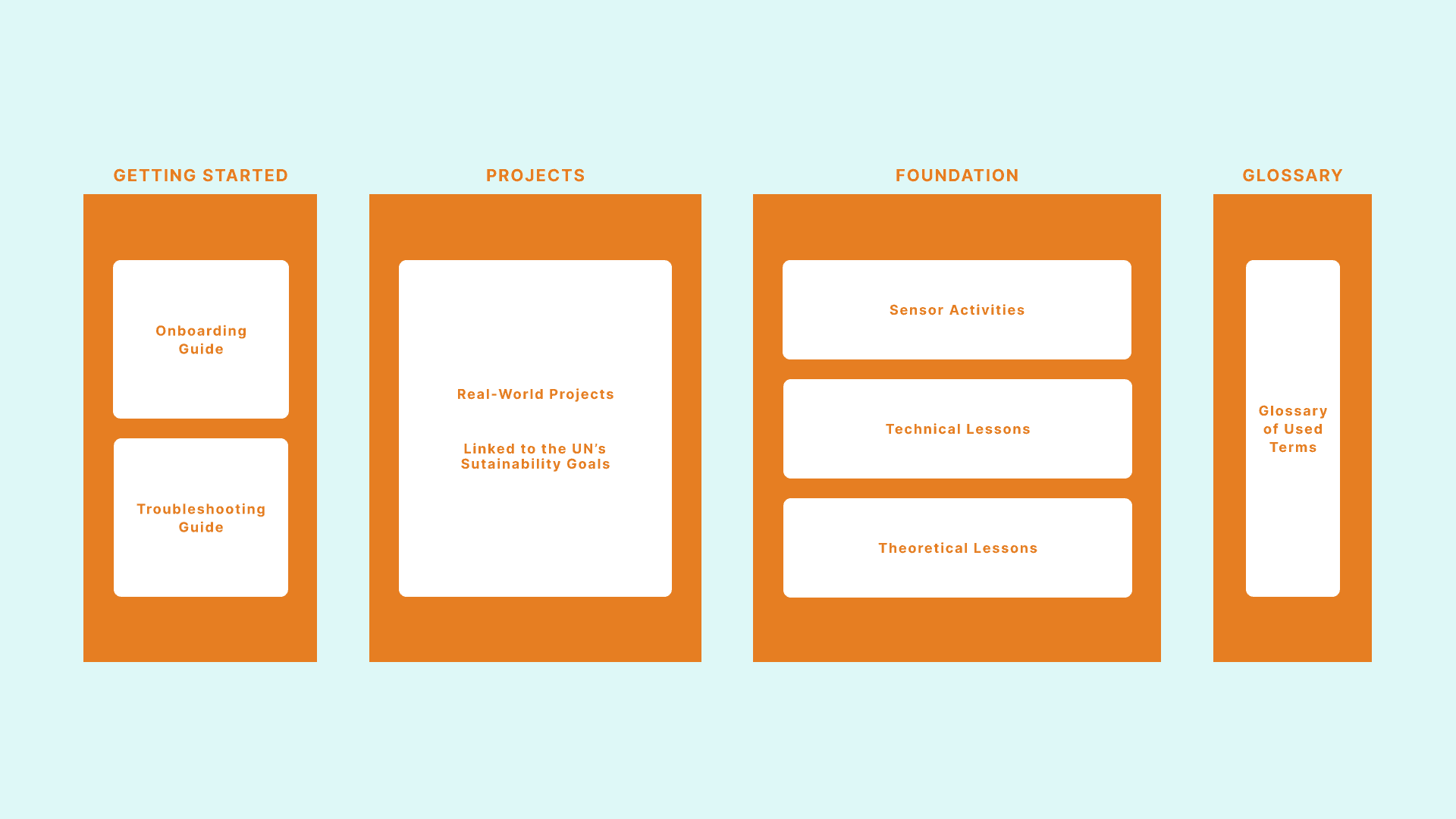
- Modular Content Architecture:
- Introduced an optional foundational knowledge section to support users at different skill levels
- Enabled projects to stand alone while still referencing deeper learning when needed
- Reduced Cognitive Load:
- Streamlined project instructions to remove unnecessary length
- Preserved depth for users who seek it, without overwhelming beginners
- Efficiency in Maintenance:
- Modular design cuts down significantly on localisation and content updates
- Easier for international educators to adapt material without rewriting the entire course
Project-Based Learning Model:
Each new project was tied to real-world challenges and UN sustainability goals, making them more relevant, inspiring, and curriculum-friendly.
Each project now:
- Introduces a real-world problem for students to explore
- Provides a scientific and collaborative framework (design thinking & the scientific method)
- Encourages hands-on experimentation and creativity
- Supports teachers with guided worksheets and clearly structured learning phases
- Engages students using video tutorials and minimal text, catering to various learning styles
Usability testing
Methods
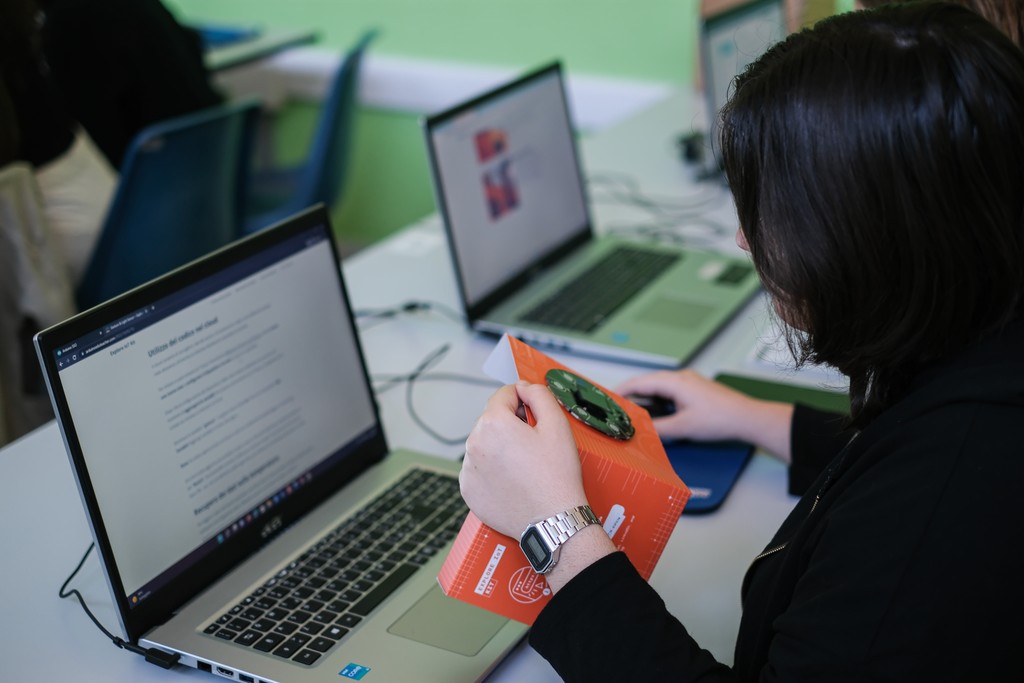
- Field observations during classroom sessions
- Teacher and student interviews
- Video recordings of key interactions
- Task-based walkthroughs focused on the onboarding and project phases
Feedback Prioritisation System
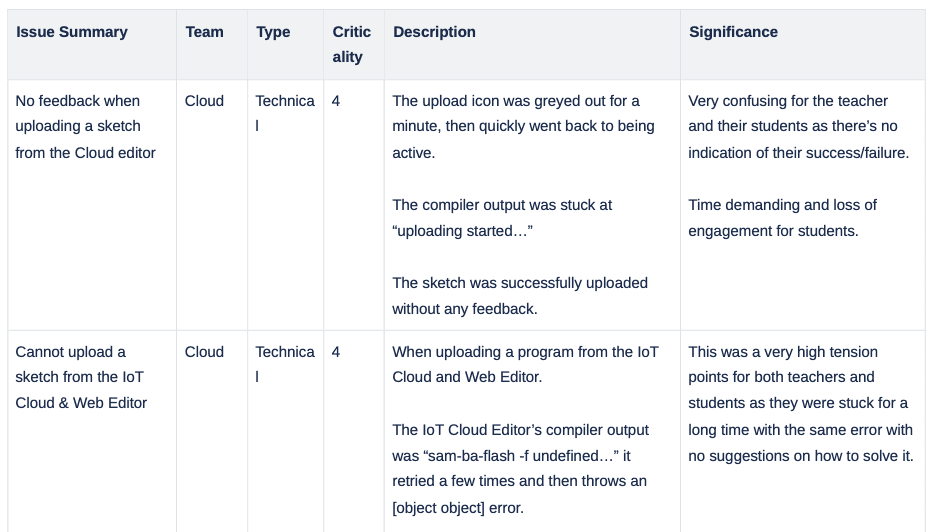
User feedback was categorised using a 5-point criticality scale to prioritise issues for resolution:
- 4 – Critical: Must be resolved immediately
- 3 – Serious: Affects usability; should be addressed soon
- 2 – Moderate: Occasionally disruptive but not blocking
- 1 – Minor: Cosmetic or low-impact
- 0 – No Issue: Suggestions or non-urgent enhancements
Over 25 issues were documented and evaluated using this scale. Each was assigned to the appropriate team.
Content Engagement Analytics
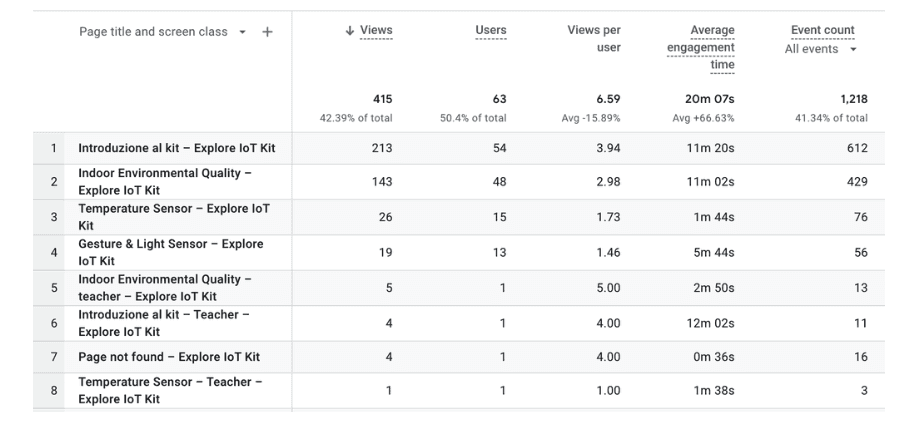
User behaviour data was collected and analysed, revealing important trends:
Onboarding & Real-World Activity Pages
- Average student time on these pages was ~11 minutes (lower than the intended 20–30 minutes)
- However, high revisit rate (3–4 times per user) suggests students were using them actively to access instructions, install software, or troubleshoot
Sensor Modules
- Engagement was lower due to time constraints and reliance on code-templates during testing
- Indicates a need to improve scaffolding for time-limited environments
Teacher Interaction Patterns
- Teachers rarely accessed the content outside classroom sessions
- This pointed to a need for integrated teacher support embedded within the student-facing content, rather than a separate teacher guide
Iteration: Refining & remote testing
The results were clear
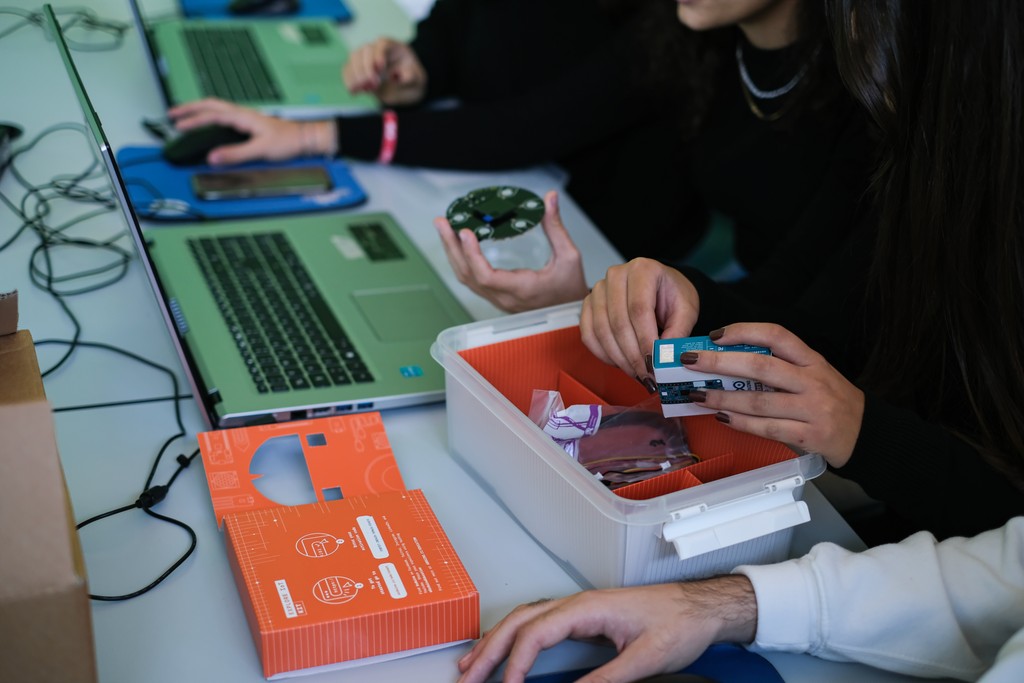
- Teachers found the redesigned structure easy to integrate into lessons.
- Students responded enthusiastically to the modular, real-world projects.
One challenge persisted
Connecting to Arduino Cloud was still difficult in many school networks. Rather than patch it locally, I worked with cross-functional teams to design a long-term solution:
- clearer error handling
- improved documentation
- plans for an offline mode in future releases.
Outcomes & impact
Voices from the Field
“I like it very much as an engineering project. It has constraints, research collaboration and uses technology in a way that can be applied to real-world problems and solutions.”
Mike T., Teacher, USA
“I really liked the approach with the sticky note sessions. It’s a good way to get the students involved — and in the end they know there will be a research question or assignment that directly comes from a student.”
Johan C., Teacher, Belgium