A kit to transform mathematics learning
Math has a PR problem. For most students, it’s abstract, disconnected, and more about memorizing than doing. Gamified apps and flashy “edutainment” haven’t fixed the core issue, math still feels like a subject to survive, not something to live. As someone who loved math at school, I wanted to flip the script. Could we turn mathematics into an immersive experience? What if students could interact physically with equations, graphs, and concepts instead of only seeing them in a textbook?
My strategy combined three worlds: Cognitive science of learning: to ground the work in proven ways people absorb and retain knowledge Interaction design methods: to turn theory into tangible, testable experiences Emerging technology: to bridge physical action and digital feedback Instead of starting with technology, I started with how humans learn best. That led to an iterative process: research informed prototypes, prototypes fed back into research, and the cycle repeated. The outcome was a set of tangible user interfaces connecting digital tools with hands-on exploration, creating what Seymour Papert called “Mathsland,” an imaginary land where mathematics learners engage with the subject deeply, in the same way French learners may engage with the language by living in France.
Research: On mathematics & learning
The Problem
- No real-world connection: students rarely see why concepts matter.
- Poor interdisciplinary integration: math is siloed, cut off from the sciences it fuels.
- Overly formal and unplayful: play is treated as the opposite of learning, increasing the fear of the subject
Constructivism as a solution
- Inspired by Piaget, Vygotsky, and Papert, constructivist learning emphasises understanding through doing.
- Students build their own knowledge via active exploration, collaboration, and carefully designed tasks that connect to their lives.
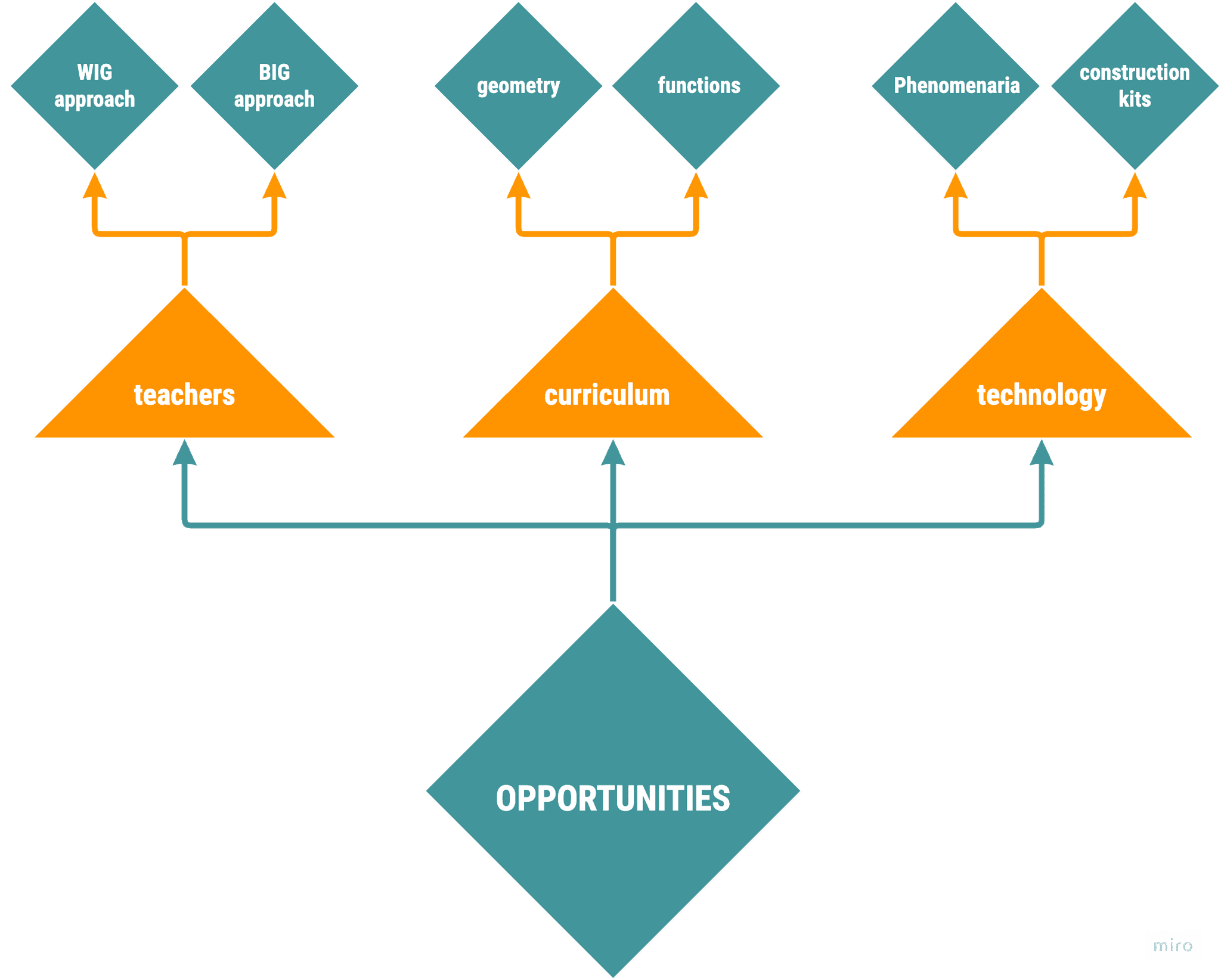
- Two teaching methodologies suggested:
- "BIG" (Beyond the Information Given): information given before interaction with tools, focused on reflection and connecting information to experience
- “WIG” (Without the Information Given): interaction with the tools comes first then reflection after, focused on discovery through experience
- Types of learning tools:
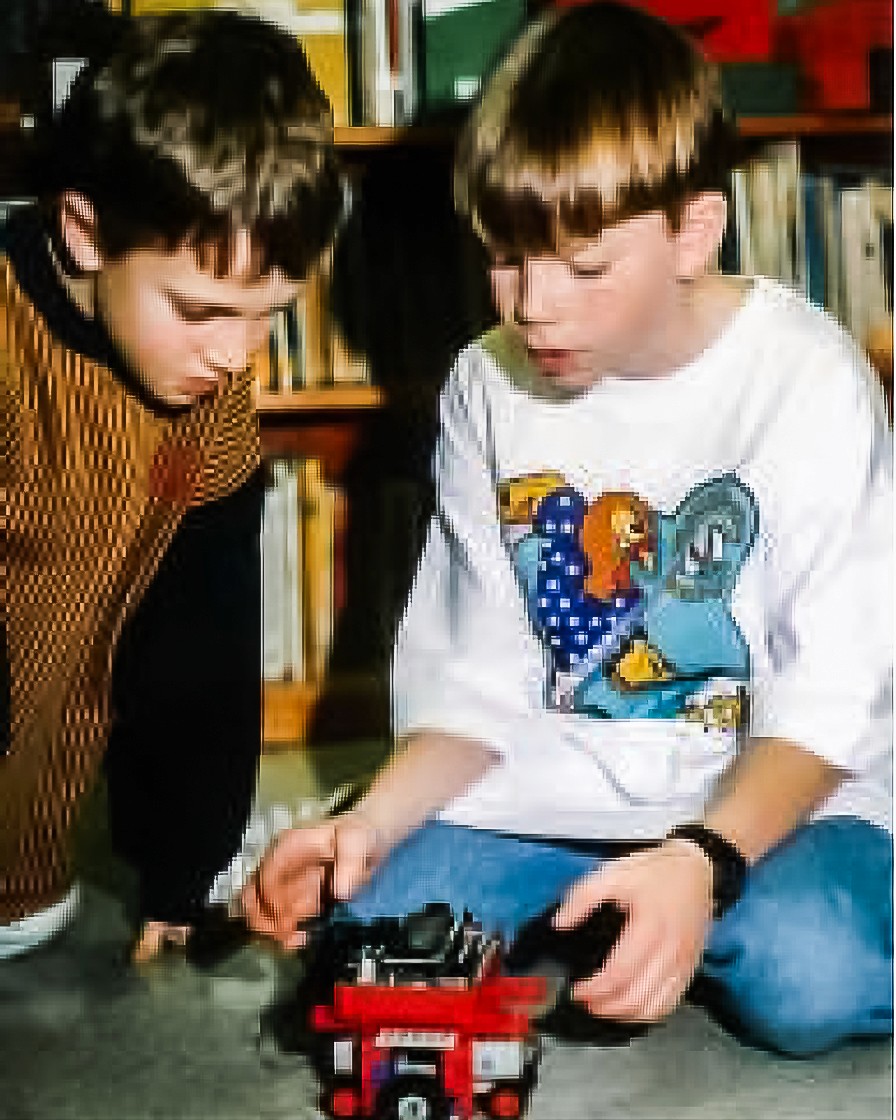
- Construction Kits: building blocks that students can use to construct more complex structures; Lego is a classic example, but programming commands are also a form of construction kits.
- Phenomenaria: simulations for presenting phenomena that can be observed and manipulated. Identified instances of phenomenaria include simulating a phenomenon in physics using lab apparatus, modeling environments using the visual programming language using Scratch
The key was crafting tools that supported this approach without creating a steep learning curve for teachers or students.
The Opportunity
By combining low-cost sensors, modular kits, and curriculum-aligned activities, we can:
- Turn abstract math into a lived experience, a “Mathsland” in the classroom.
- Help students connect physical phenomena to mathematical concepts
- Reduce fear and increase enjoyment of mathematics.
- Give teachers ready-to-use tools that don’t require programming skills but open doors to creative, hands-on learning.
Design
Choosing the right design methods
I drew from three complementary methodologies:
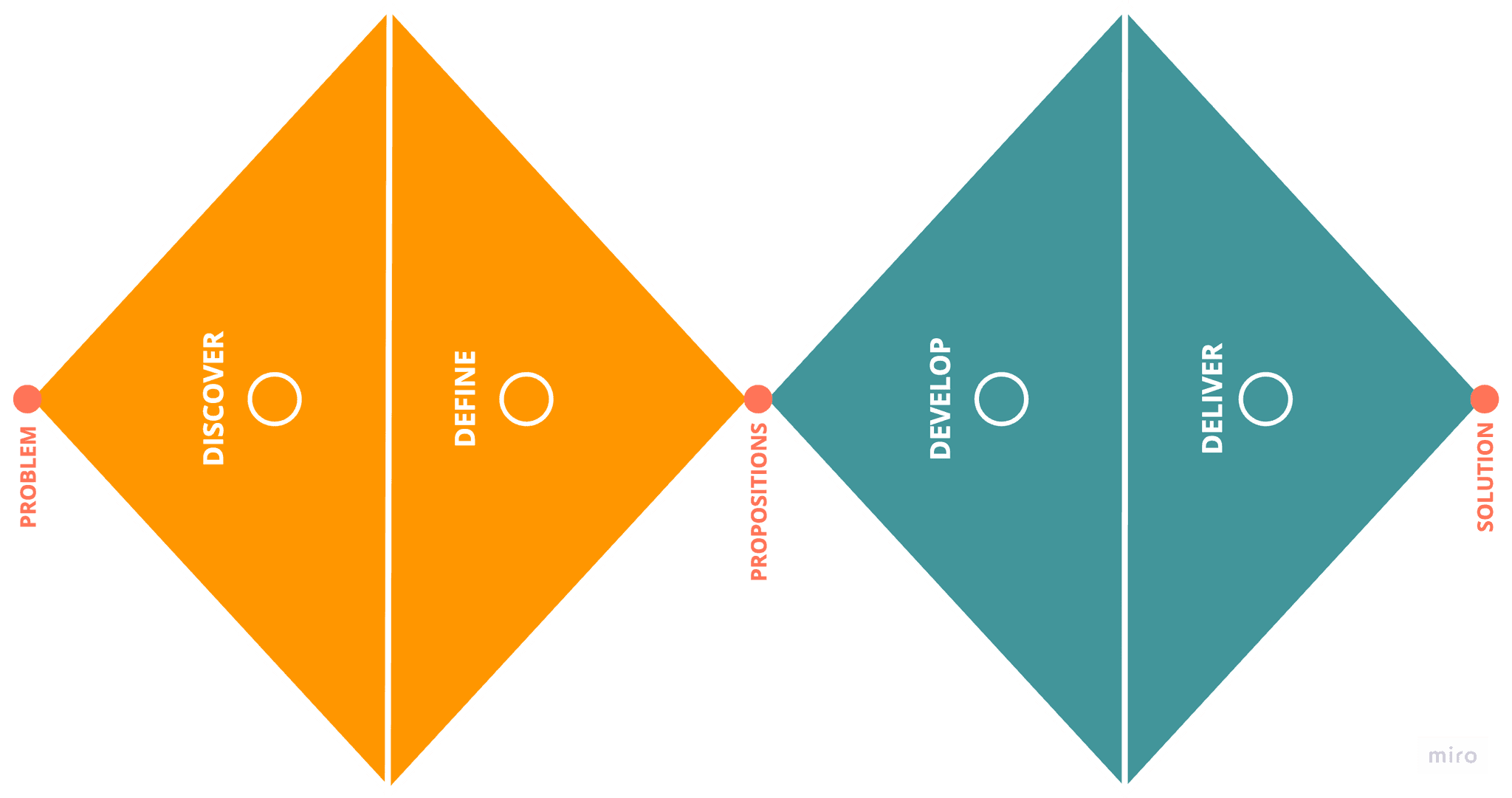
- Double Diamond – to keep the process structured: discover → define → develop → deliver. This ensured I started wide, exploring many possibilities before focusing in on the most promising.
- Research through Design – because I needed to learn by making. Each prototype was both an experiment and a research tool.
- Participatory Action Research – to keep the work rooted in teachers’ real-world constraints, even when Covid-19 prevented full co-design workshops. Teacher interviews and case studies from the literature became stand-ins for live collaboration.
This blend allowed me to remain research-led while staying design-flexible, moving between theory and classroom reality.
Identifying what works (and what doesn’t)
Through literature, existing classroom projects, and teacher interviews, I tested the viability of different technological approaches against key criteria:
- Ease of use: can a teacher with no programming background get this running?
- Modularity: can it be easily repurposed for different levels and activities?
- Engagement: does it encourage active, collaborative problem-solving?
- Constructivist fit: does it allow for learning through discovery?
From this filter, three technology categories emerged:
Programmables
Tools like Arduino boards or Crickets blocks allow building and coding from scratch.
- Strength: High creative potential, proven in constructivist projects.
- Limitation: Requires significant teacher training in programming, which often isn’t feasible.
Sensor Data Kits
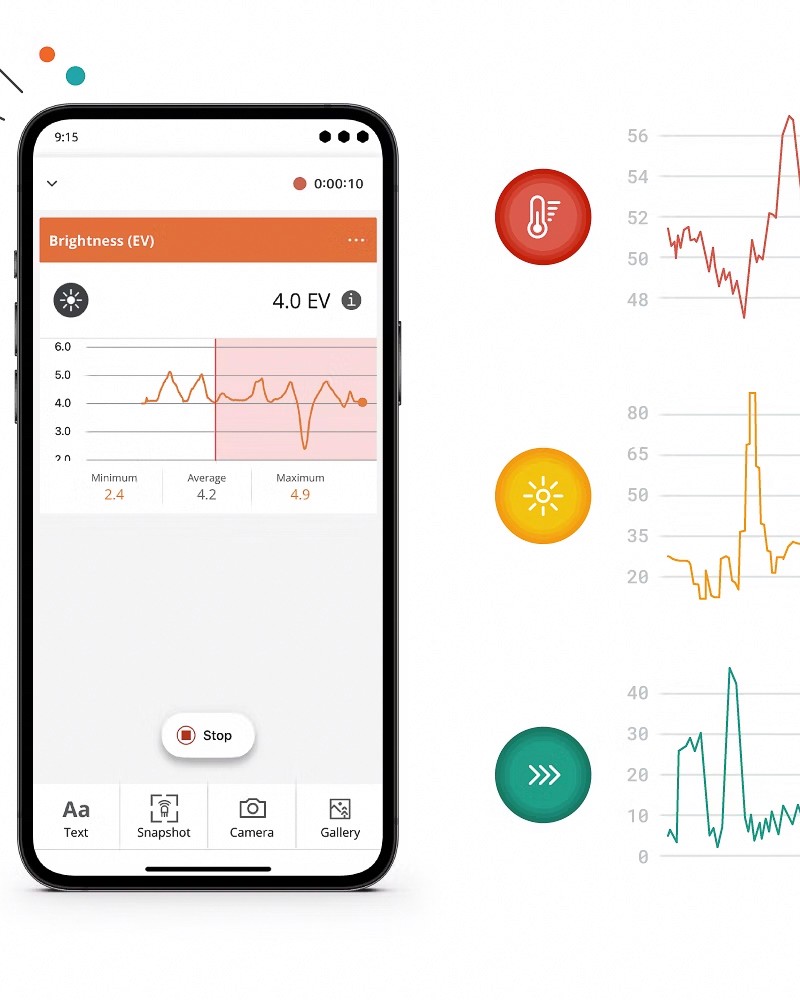
Tools with built-in sensors for collecting and graphing real-world data (e.g., Arduino Science Journal).
- Strength: Minimal setup, direct link between action and data visualisation.
- Limitation: Less open-ended than full programmables unless paired with other tools.
Tangible User Interfaces (TUIs)
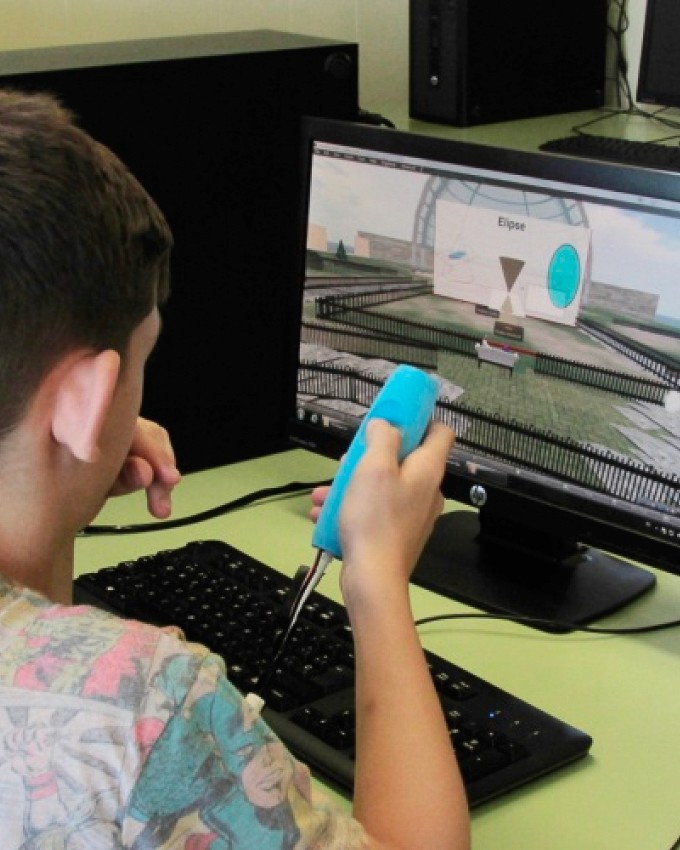
Physical objects that manipulate digital information (e.g., FlyStick).
- Strength: High engagement, strong conceptual grounding through embodiment.
- Limitation: Often expensive or complex to reproduce.
Interdiscplinary Integration
Physics motion became the perfect interdisciplinary anchor to physicalise mathematics:
- It's universally understood by students (everyone moves)
- Directly measurable by sensors (acceleration, angular velocity, proximity)
- Naturally links to functions and geometry in mathematics
- Proven in prior studies to improve graph interpretation and functional thinking
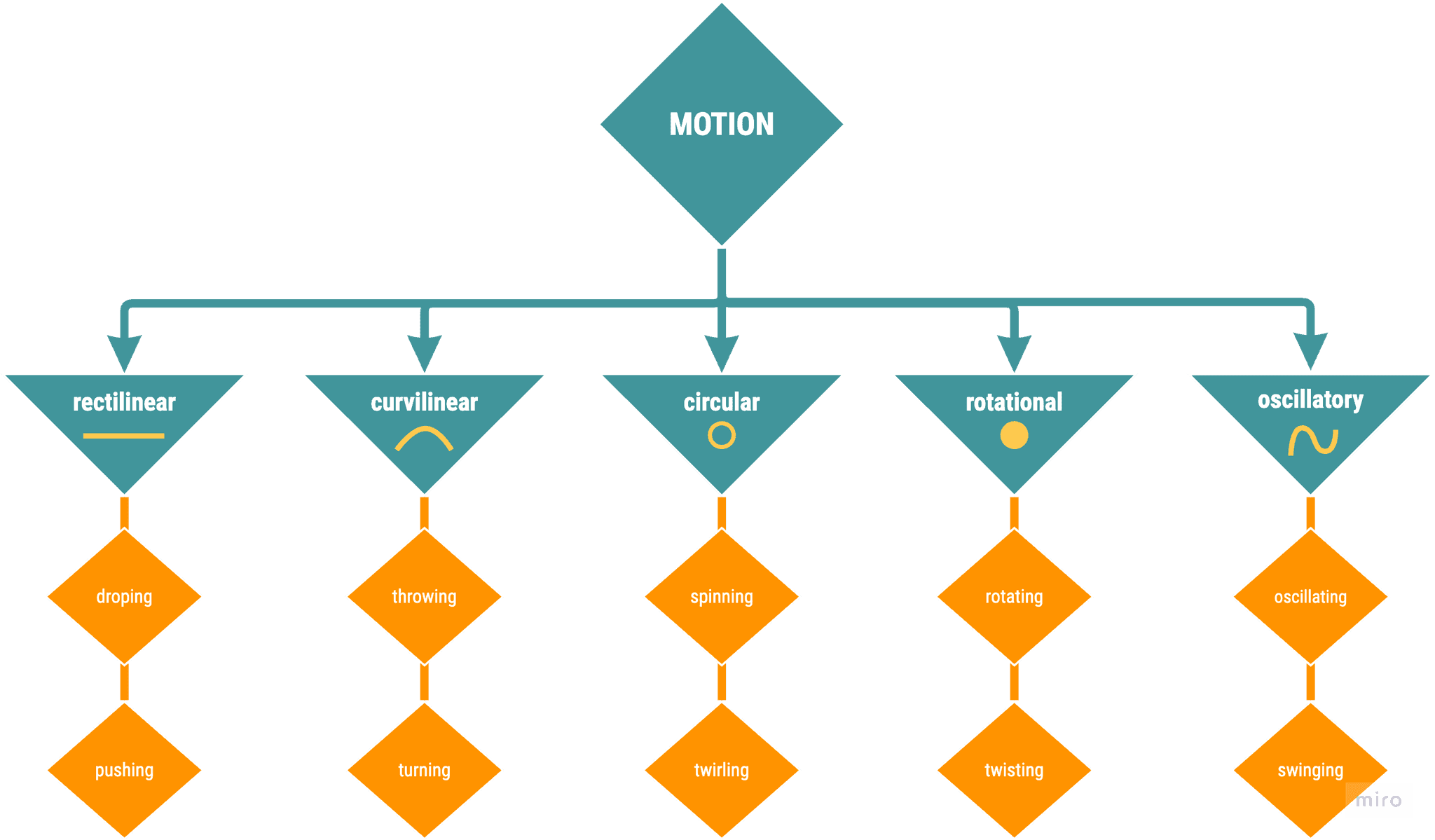
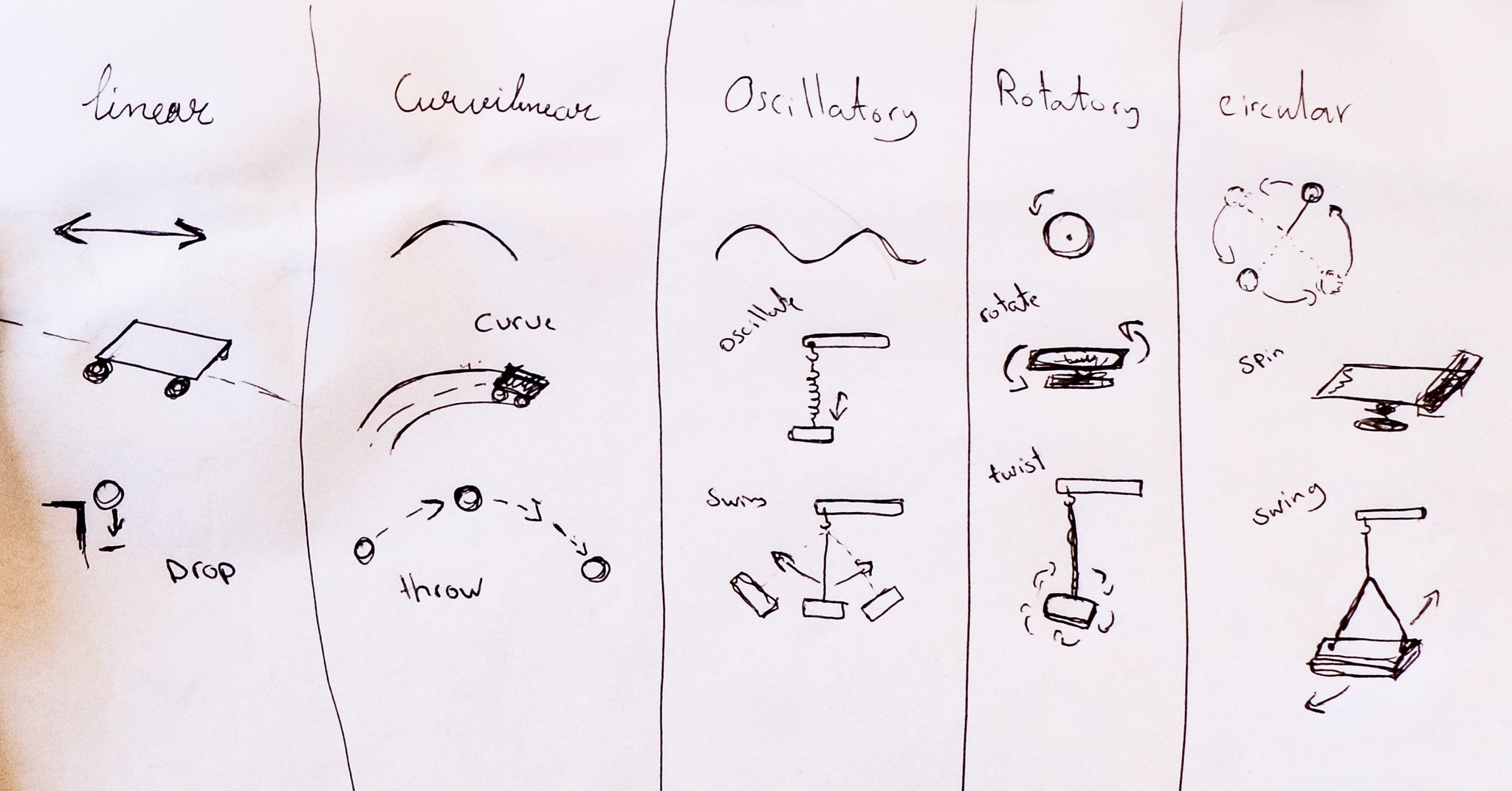
By framing the activities around five types of motion (rectilinear, curvilinear, circular, rotational, and oscillatory) I could give each student group a tangible, relatable starting point.
Designing for classroom adoption
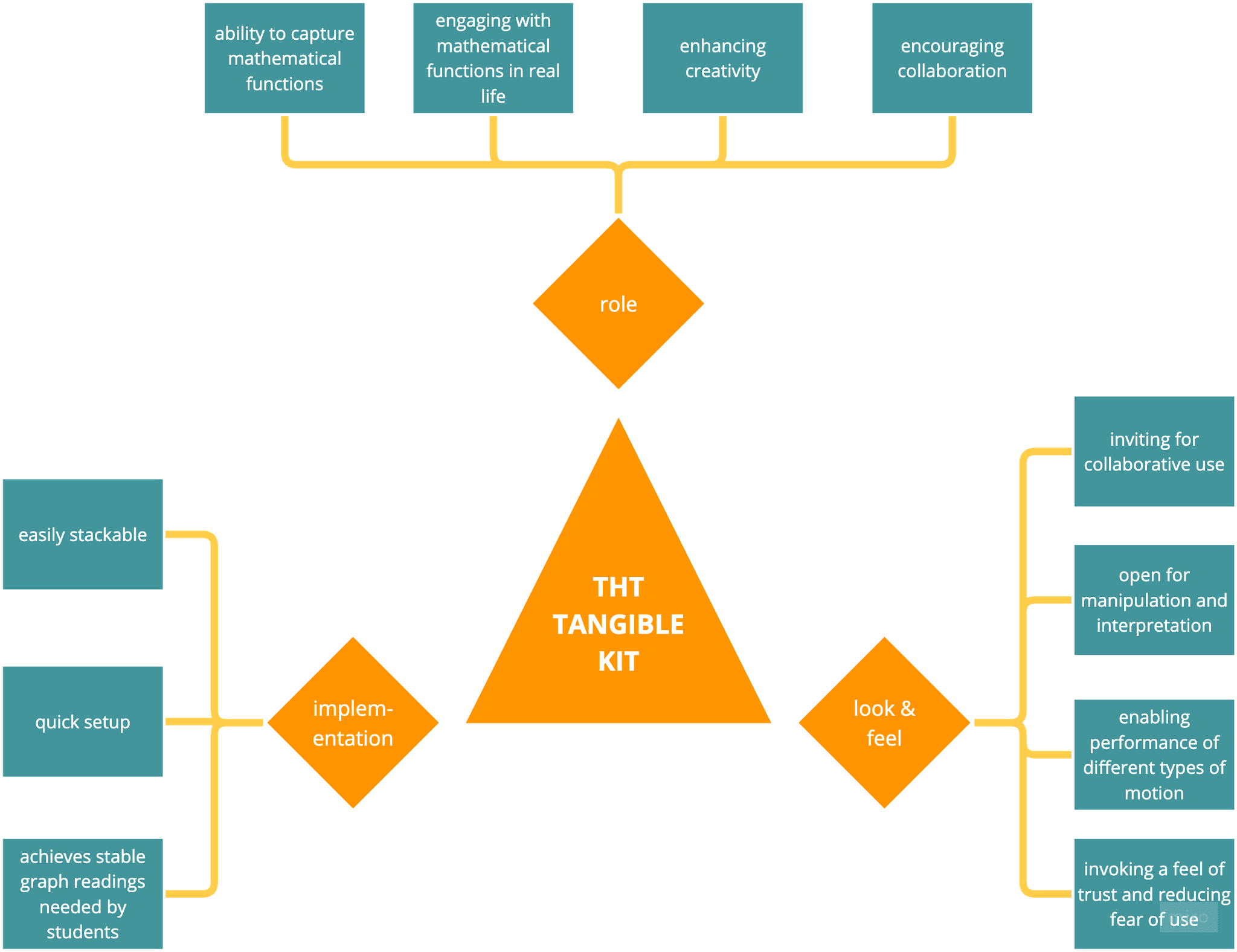
To design the ideal tools, there were some design constraints and characteristics
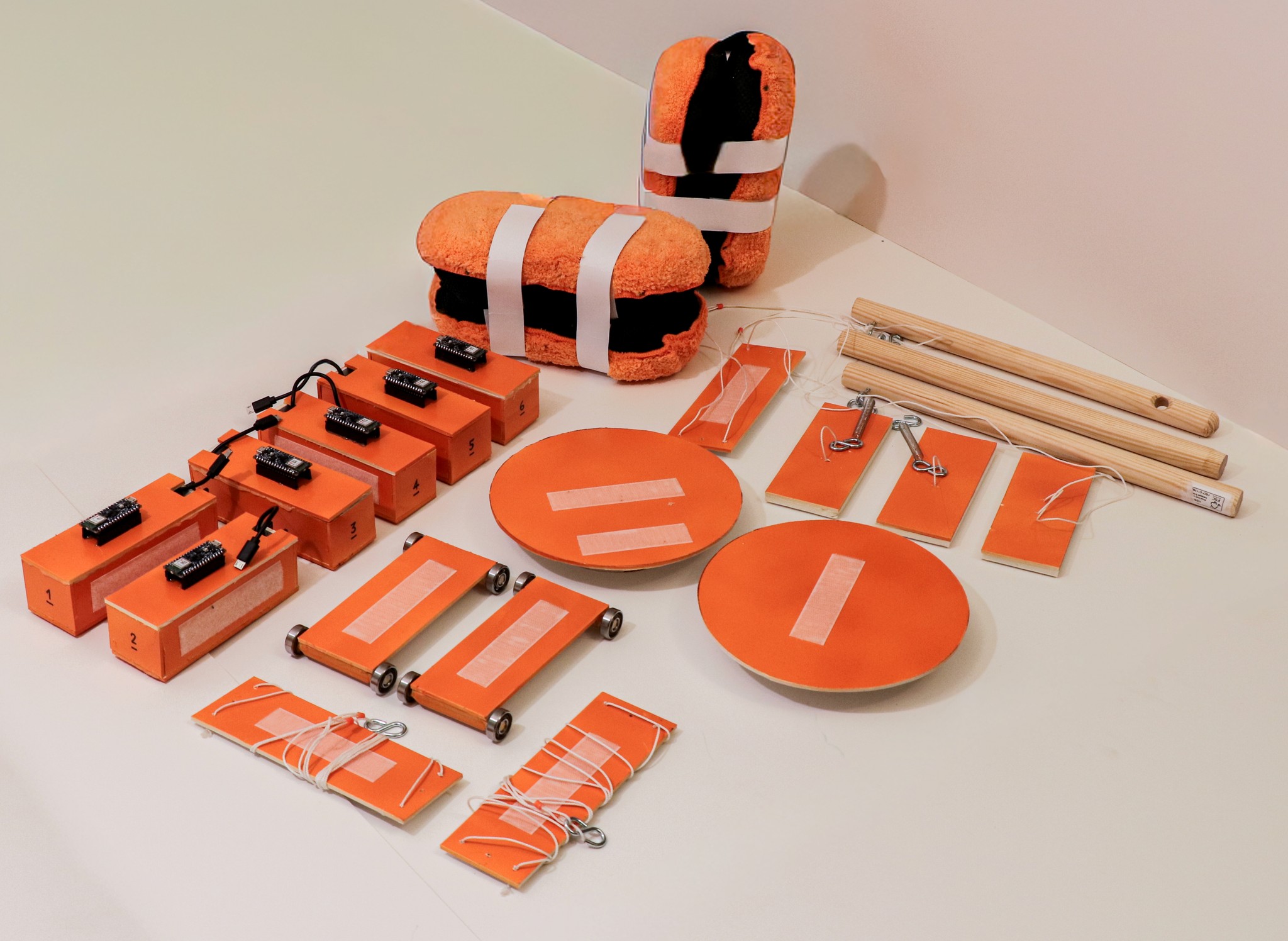
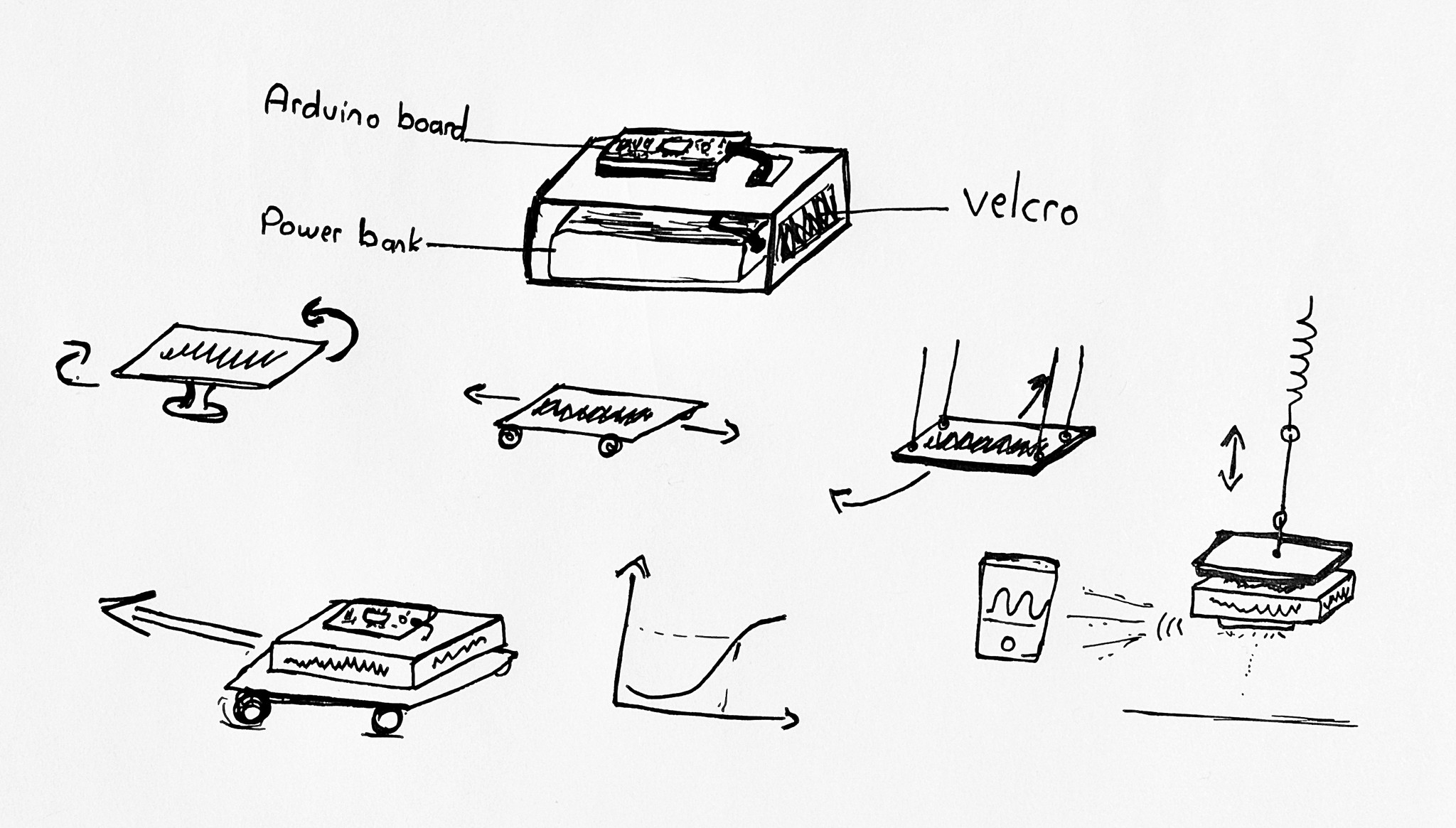
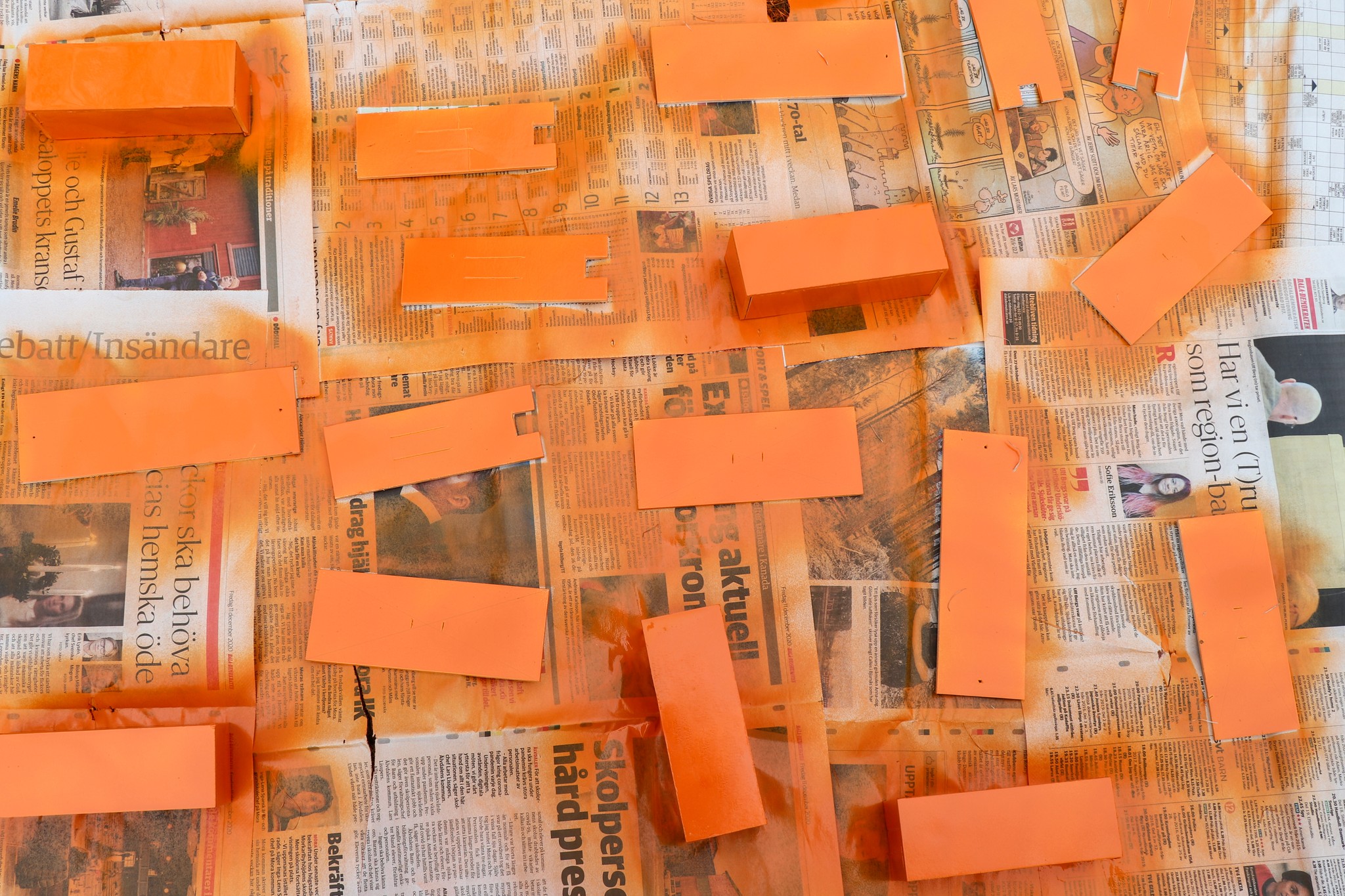
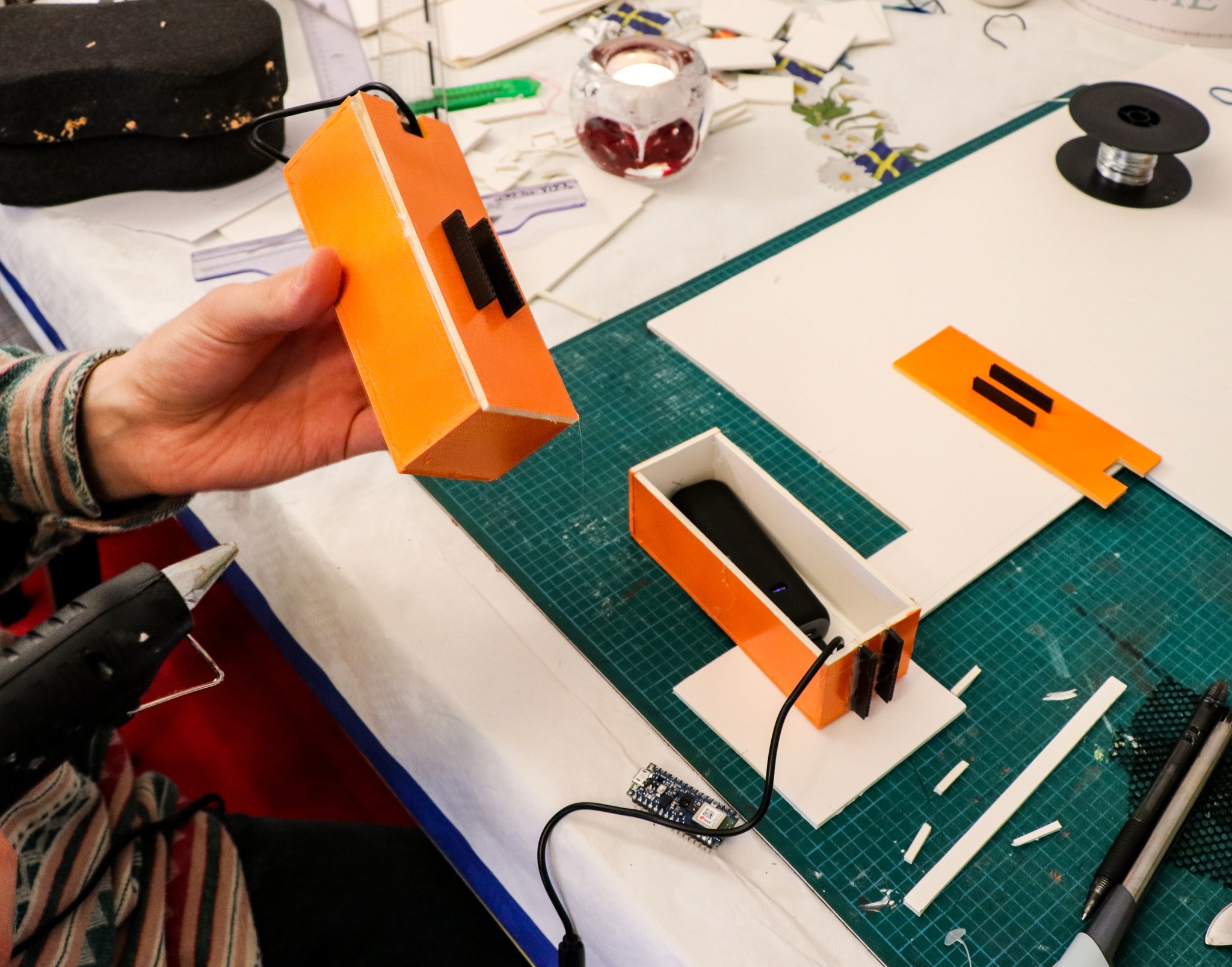
- Modular foam-board “tangible kits” so teachers and students could assemble them with scissors and glue guns
- Velcro attachments for quick reconfiguration during activities
- Pre-programmed Arduino boards named by group, so connecting was as easy as “find your device and start”
- Activities that encouraged discovery first, discussion after — aligning with constructivist WIG principles
By the end of the design phase, I had a clear pathway from theory to practice: modular tangible kits + Arduino sensors + motion-based tasks = hands-on, discoverable mathematics.
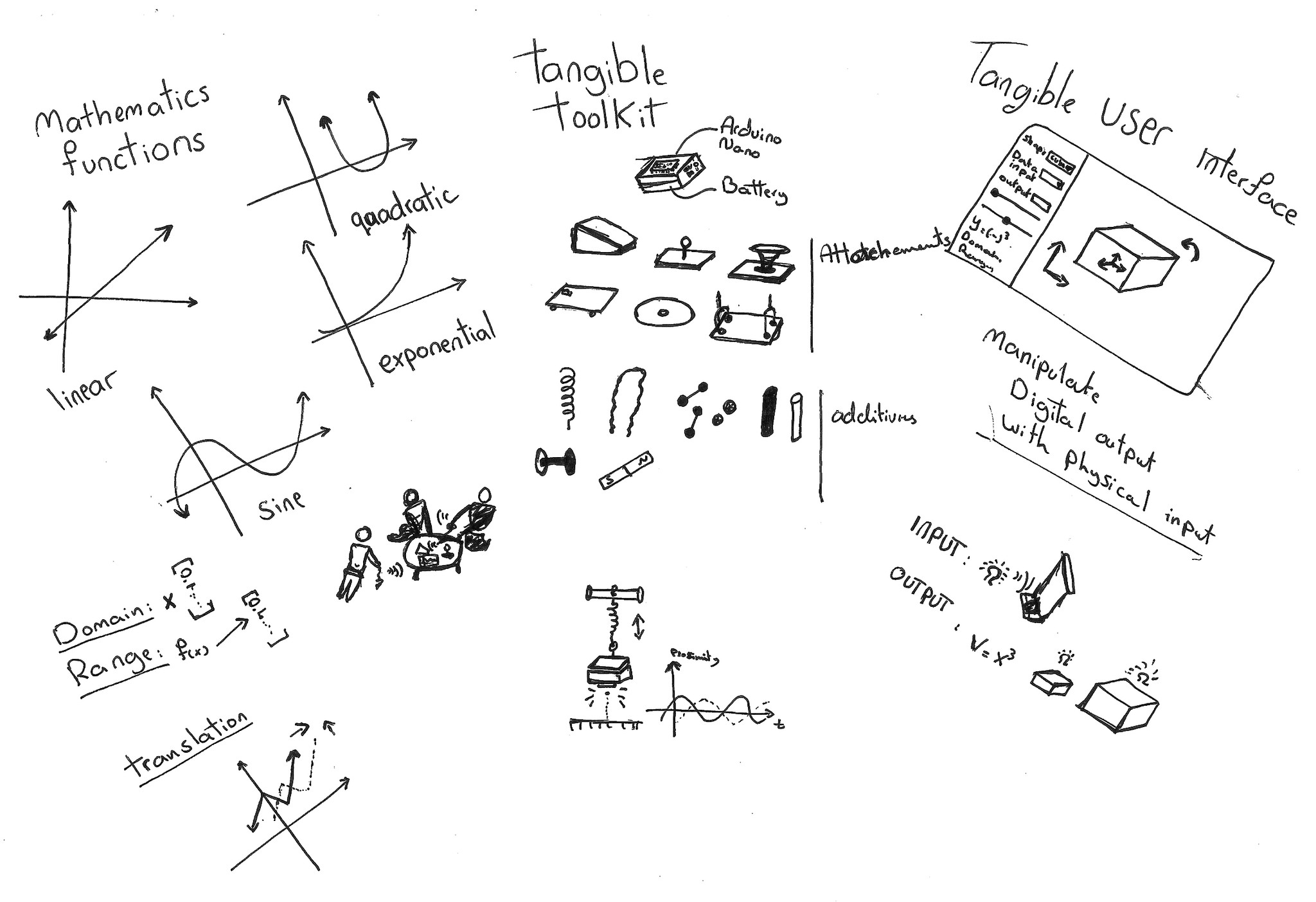
Prototyping: building testable tools
The tangible kit
Core Technology
- Arduino Nano 33 BLE Sense — chosen for its small form factor, built-in sensors (acceleration, angular velocity, proximity, light, temperature, etc.), and Bluetooth Low Energy for wireless connection.
- A small power bank — to power the Arduino board easily and safely
Physical Design
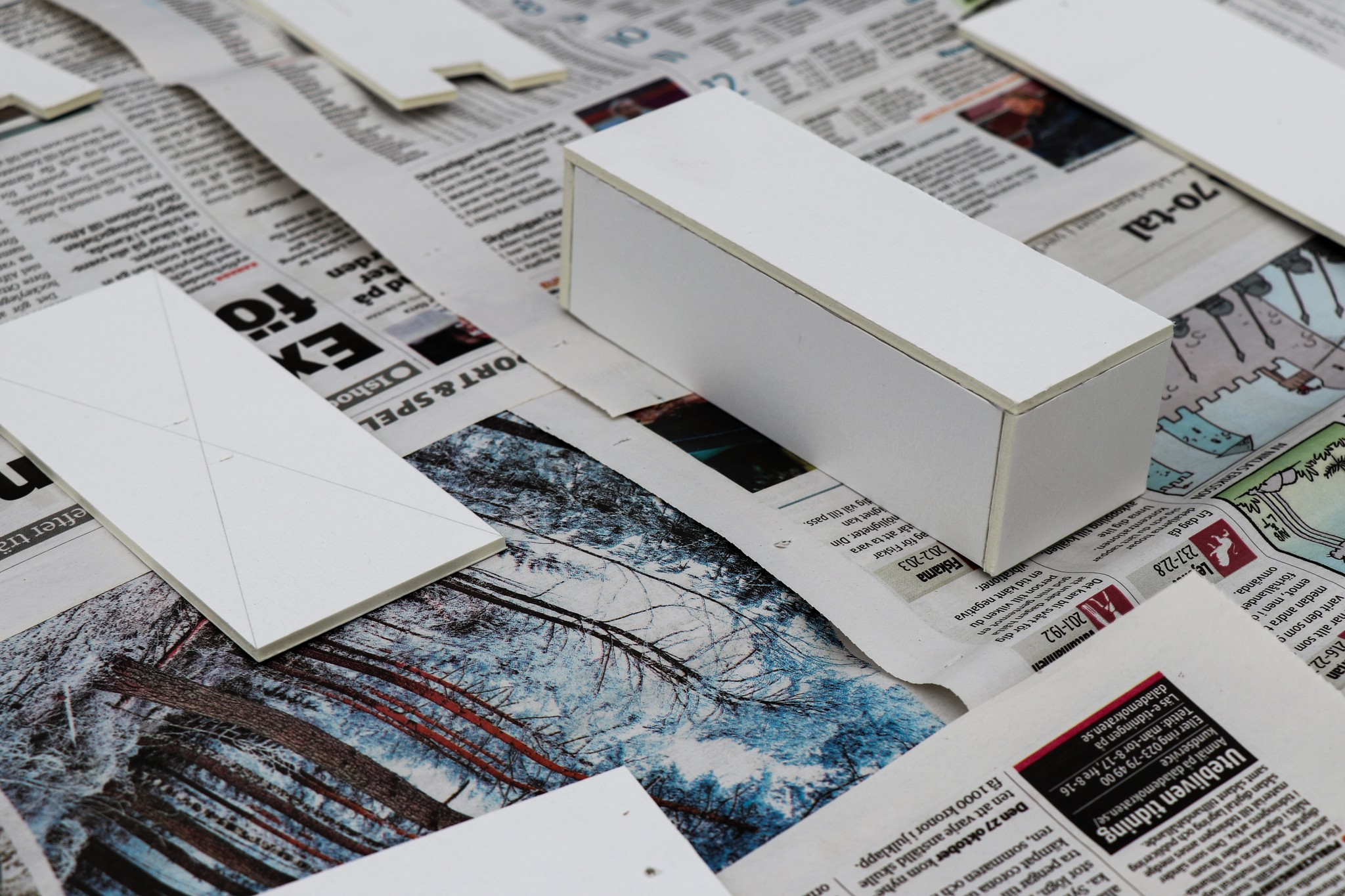
- Central unit: foam-board box holding both the Arduino and a power bank, with the board mounted securely on top for sensor accuracy.
- Velcro attachment points: allowed students to reconfigure the kit depending on their assigned motion type.
- Interchangeable parts: springs, wheels, spinners, magnets, and cardboard arms that could be attached to create oscillations, rotations, or linear paths.
Approach
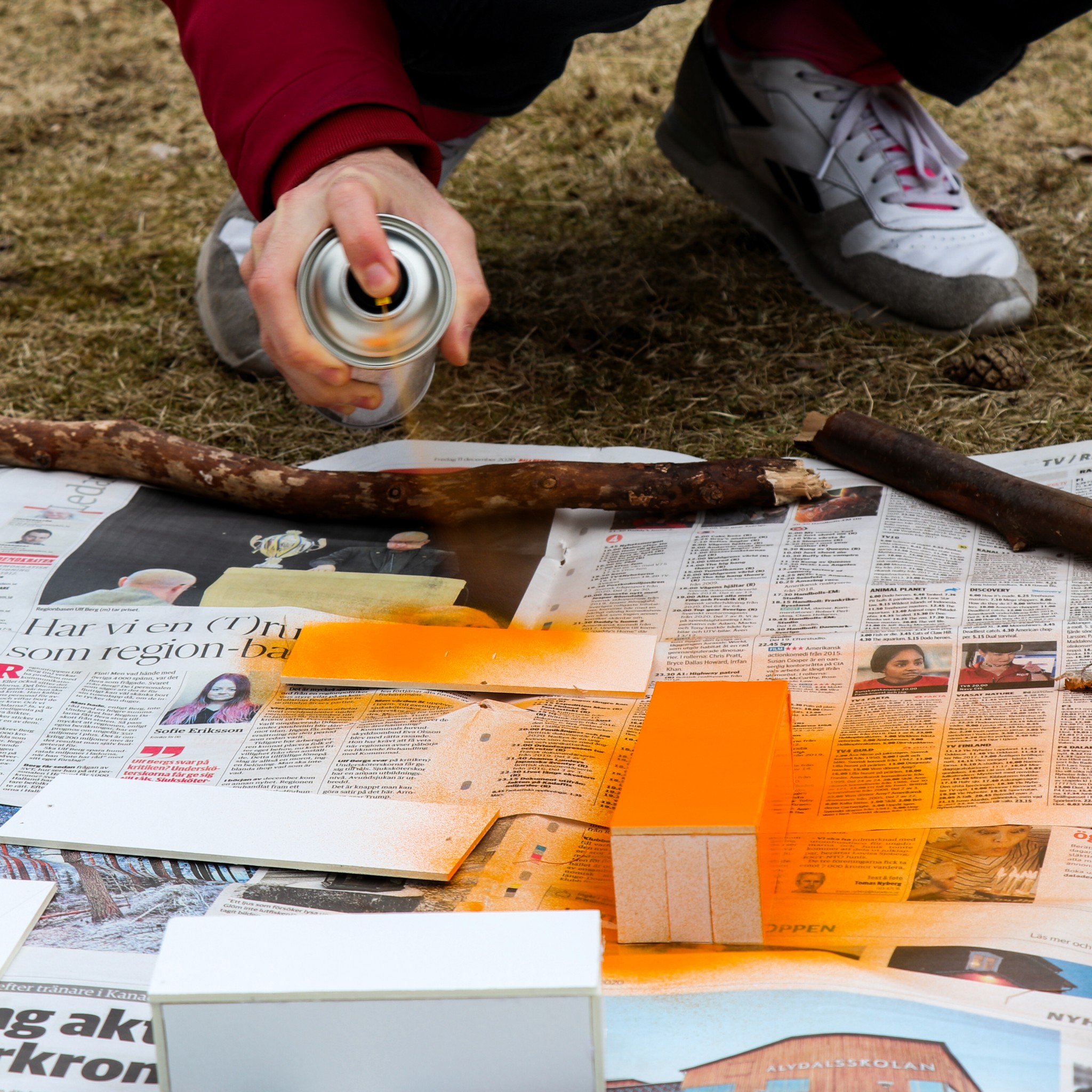
- The prototypes needed to feel finished to reduce students' fear of experimenting with them fully. I used sleek, robust design and colouring to achieve this.
- Foam board and wide Velcro hit the sweet spot between low fidelity (safe to tinker with) and functional robustness.
- Relied on design (rather than instructions) to signal functionality: e.g. velcro on different sides of central units, cushioned foam container with narrow sides to afford throwing.
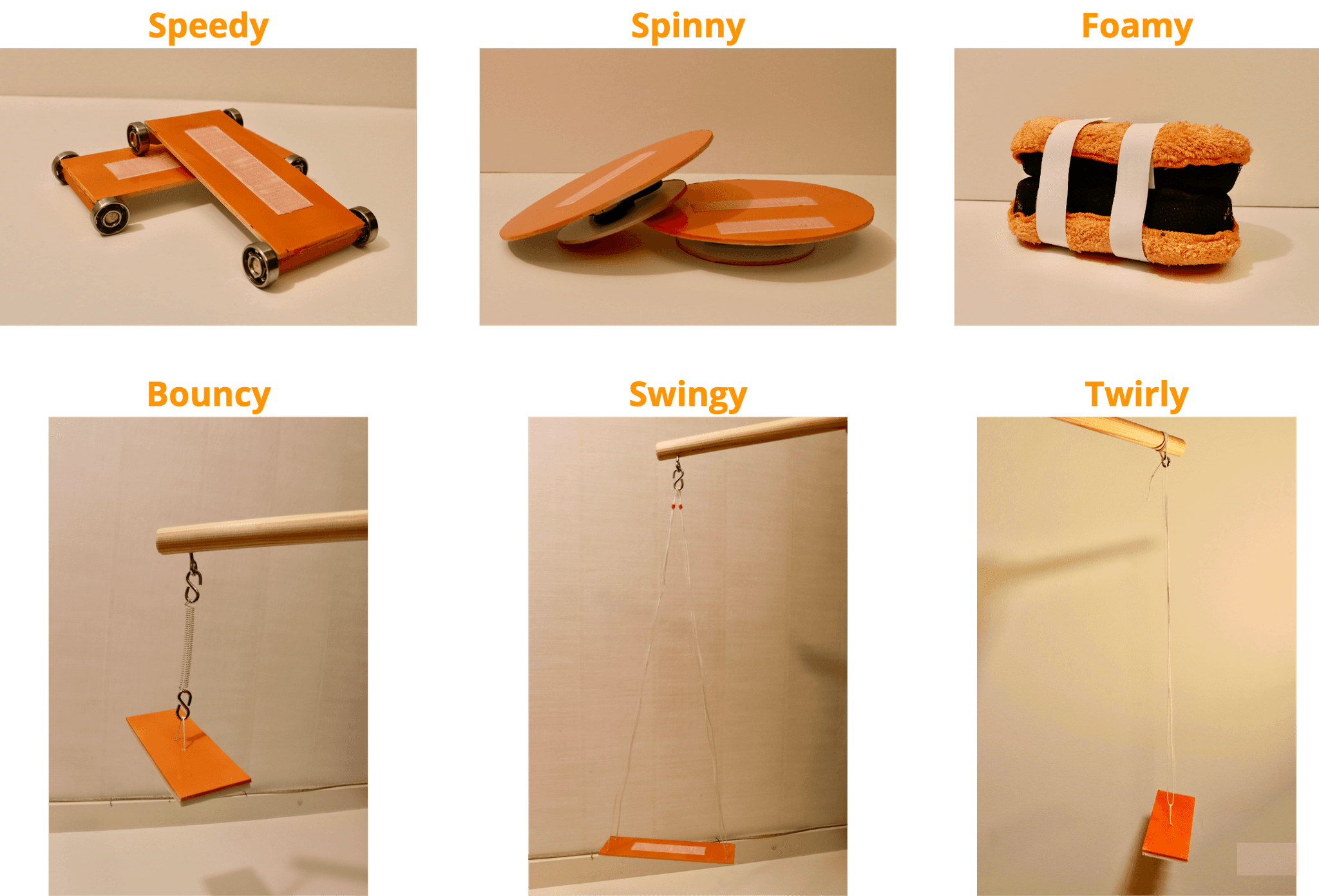
The Digital kit
- Arduino Science Journal app — gave students instant visual feedback as live graphs, without needing to program anything.
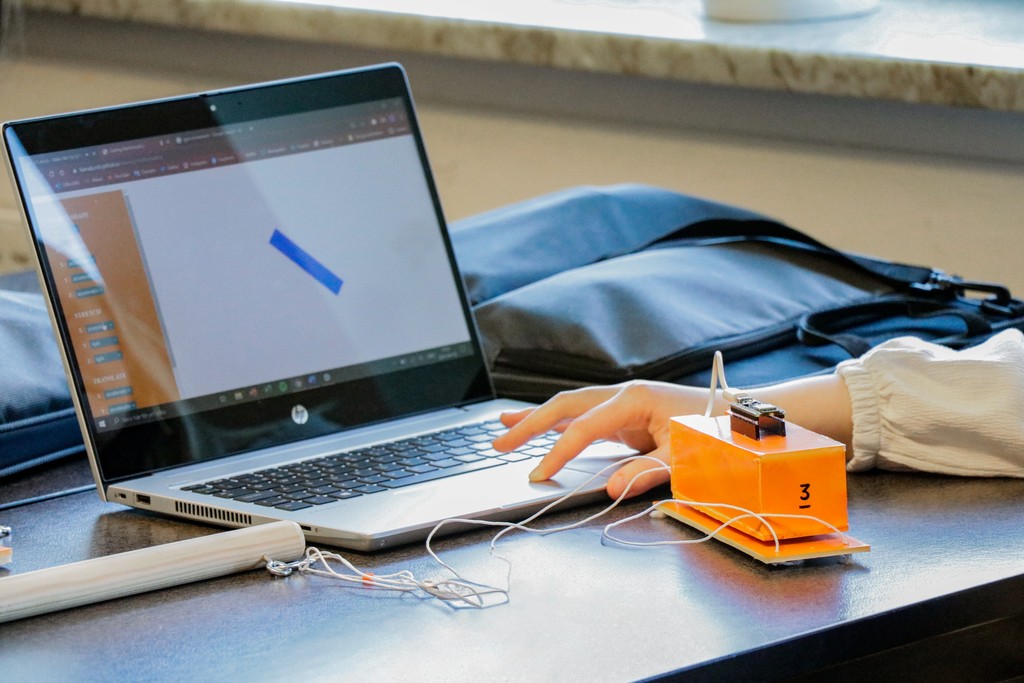
- 3D Geometry Interface — link Arduino sensor data directly to a virtual environment so movements not only produced graphs, but also manipulated a 3D visual object (e.g., a ball moving in sync with acceleration data). I built the interface with JavaScript, P5 and HTML/CSS
Why the 3D Interface
- To encourage playful experimentation
- To test intuitive understanding of complex mathematics topics
- Graphs are powerful for mathematically inclined students, but visual-spatial learners benefit from seeing the same concept in a simulated “world.”
- It created a feedback loop: move it physically, see it change digitally, then check the graph to understand why.
- Creating a continuous thread between the Arduino board, Science Journal App and tangible kit by using the same visual identity.
- The option to select from a variety of 3D shapes and transform them through physical interaction with the tangible kit
- Students can rotate, stretch or move the chosen shape on three axis using different sets of data (proximity, acceleration, tilting, and light intensity)
Testing
What happened in the room
- Exploration and creativity: Students improvised wildly different setups. One group taped the Arduino kit to a fidget spinner to explore rotation. Another attached it to a swinging pendulum for oscillation. The kits became tools for invention, not just instruction.
- Excitement in the data: When graphs spiked or curved in real time, students shouted things like “Whoa, that’s it!” They began adjusting their motions just to see how the graphs would change.
- Collaboration: Groups naturally split roles – one holding the kit, one monitoring the app, another taking notes, and others suggesting ideas. Even quieter students found entry points.
- Surprises: Students reported unexpected data quirks, such as extra spikes in acceleration when releasing a pendulum. Instead of seeing this as “wrong,” they tried to explain it, leading to richer discussions.
Teacher's perspective
The teacher noted a different energy compared to typical lessons:
- Students were more engaged and collaborative.
- Conversations went beyond “what’s the right answer?” into why the graph looked the way it did.
- Seeing graphs emerge from movement helped students connect mathematical abstractions to lived reality in a way standard lessons rarely achieve.
- Students dealt with higher levels of math and pointed out advanced mathematical and technical observations